Technical SEO
Build a Stronger Foundation for Your Website
Your website can have great content and still struggle in search if technical issues are getting in the way. Technical SEO helps make sure search engines can properly crawl, understand, and index your website while identifying problems that may be limiting its performance.
I’ll review the technical foundation of your site, identify issues that could be affecting your visibility, and focus on practical improvements that help both search engines and your visitors get more from your website.
That includes looking beyond individual errors to understand how your site works as a whole. Site structure, internal linking, page speed, mobile usability, indexing, and other technical signals all play a role in creating a website that search engines can access efficiently and visitors can use without friction.
What Technical SEO Actually Does
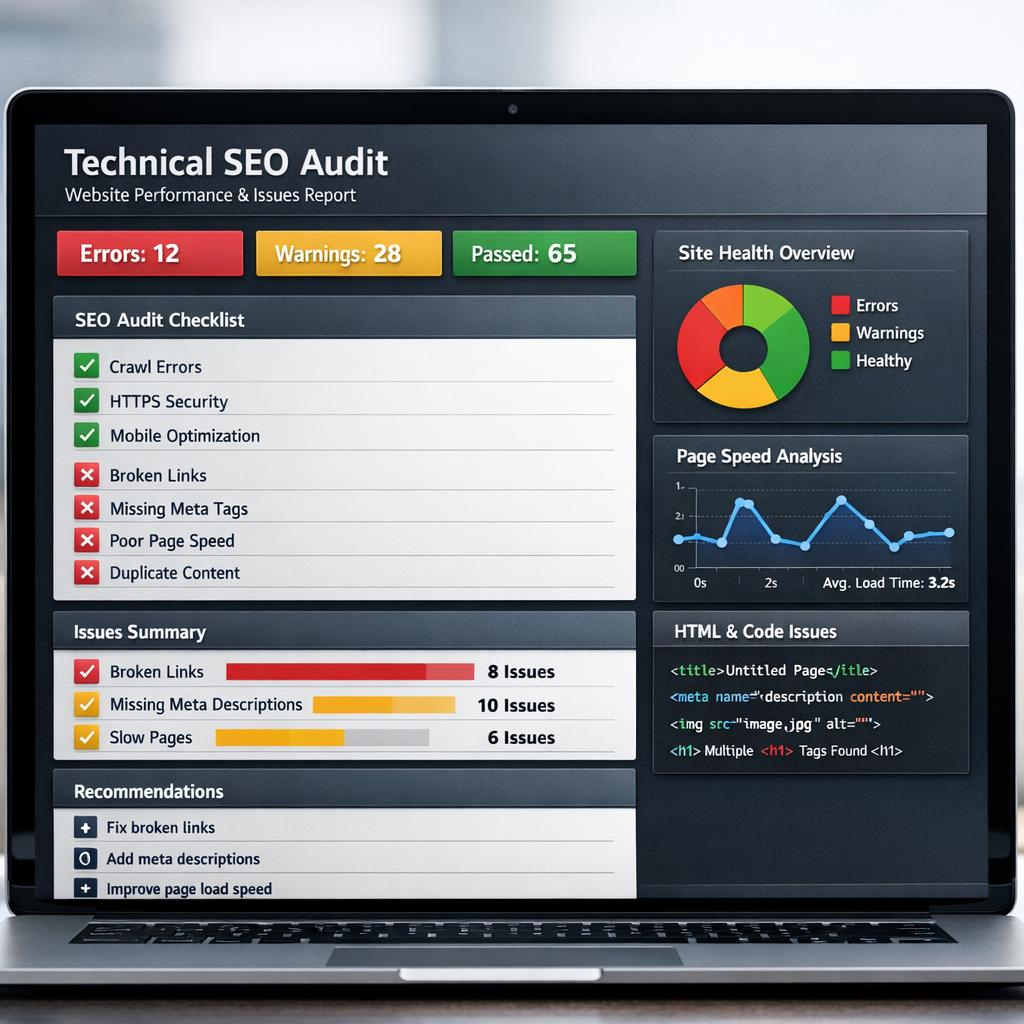
Technical SEO focuses on the parts of your website that affect how easily search engines can access, understand, and index your content. A website can look great to visitors while still having technical problems behind the scenes that make it harder for search engines to properly evaluate its pages.
Issues like broken links, slow page speeds, incorrect redirects, duplicate content, indexing problems, or poor site structure can all limit how effectively your website performs in search.
The goal of technical SEO isn’t to make your website complicated. It’s the opposite. It’s about removing unnecessary obstacles so search engines can efficiently understand your website and visitors can have a better experience using it.
A technically healthy website also gives the rest of your SEO strategy a stronger foundation. Great content and strong local optimization can only do so much if technical issues are preventing your website from performing the way it should.
How I Approach Technical SEO
Crawling & Indexing
Make sure search engines can properly access, crawl, and index the important pages on your website.
Site Structure &
Internal Linking
Create a clear site structure that helps visitors and search engines find and understand your most important content.
Page
Speed
Identify performance issues that may be slowing down your website and creating a poor experience for visitors.
Broken Links & Redirects
Find broken links, redirect issues, and other errors that can disrupt visitors and search engines as they move through your site.
Technical Monitoring
Monitor your website for technical issues and use Search Console data to identify problems affecting search visibility.
Duplicate Content & Canonicals
Identify duplicate or competing pages and help search engines understand which versions of your content should appear in search.
Crawling & Indexing
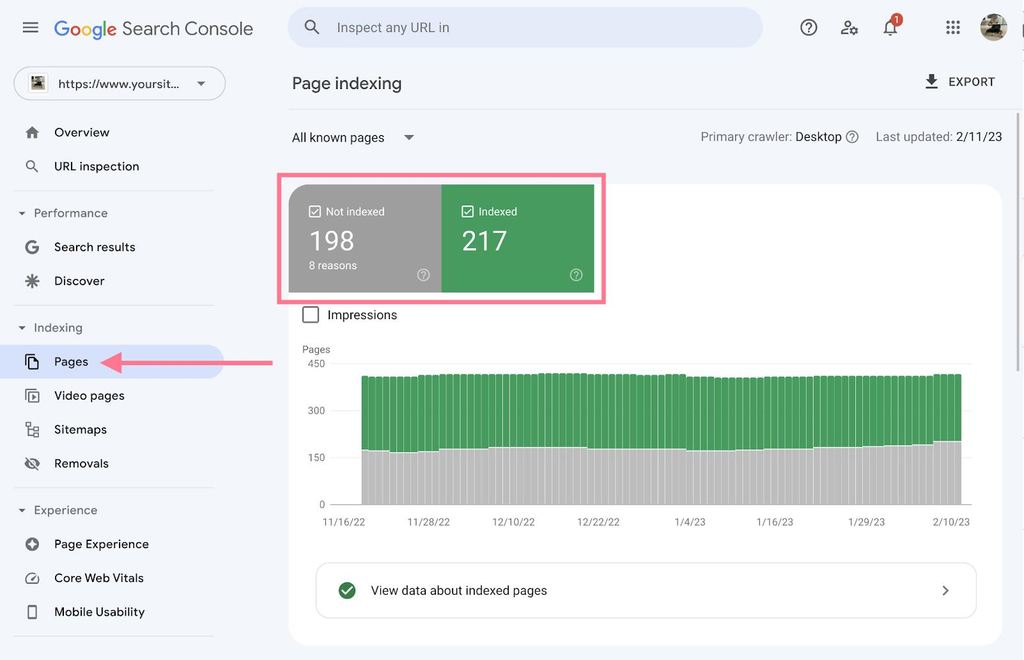
Search engines need to be able to find, access, and understand the important pages on your website before those pages have a chance to appear in search results. Problems with crawling or indexing can leave valuable pages invisible to search engines even when the content itself is strong.
I’ll review how search engines are accessing your website and look for issues that could prevent important pages from being discovered or indexed properly. That includes checking your site’s indexability, XML sitemap, robots.txt directives, internal links, redirects, and other technical signals that can affect which pages search engines are able to find and include in their results.
Not every page on a website needs to appear in search. Part of the process is also making sure search engines are focusing on the pages that actually matter while keeping unnecessary, duplicate, or low-value pages from creating problems.
The goal is straightforward: make it as easy as possible for search engines to discover and index the right pages on your website.
Indexing Issues
Crawl Accessibility
XML Sitemaps
Robots.txt & Directives
Site Structure & Internal Linking
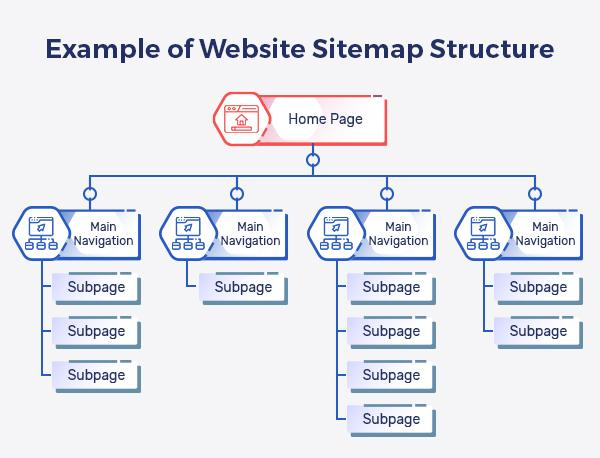
A well-organized website makes it easier for both visitors and search engines to understand which pages are important and how different areas of your site relate to one another. When pages are buried too deeply, poorly organized, or disconnected from the rest of the website, they can be harder to find and may not perform as well in search.
I’ll review how your website is structured and how pages are connected through navigation and internal links. Important services and content should be easy to reach, while related pages should naturally support one another and help guide visitors through the site.
Internal linking also gives search engines additional context about your content and helps establish relationships between important pages across your website.
The goal is to create a clear, logical website structure where important pages are easy to find and every page has a purpose within the larger site.
Site Architecture
Internal Linking
Navigation
Orphaned Pages
Page Speed
A slow website can frustrate visitors before they ever have a chance to learn about your business. Website performance also plays a role in search, making page speed an important part of both technical SEO and the overall user experience.
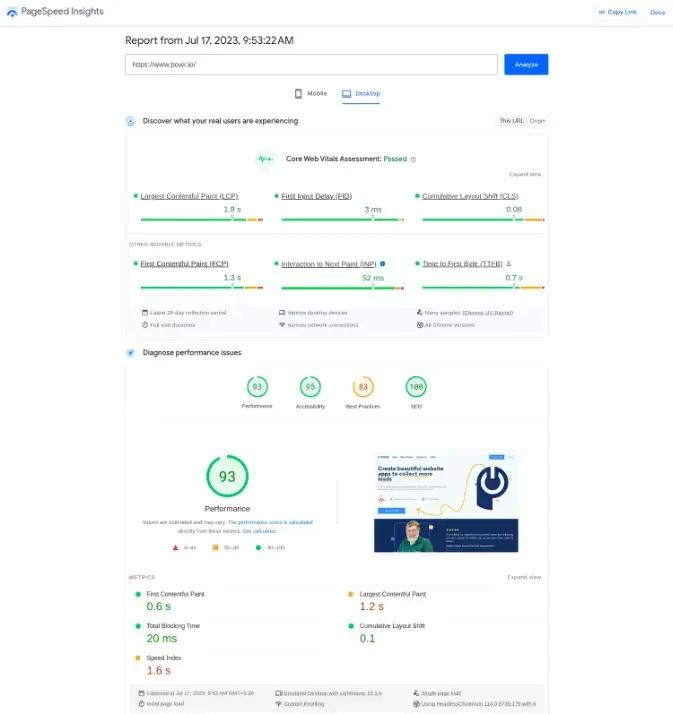
I’ll review your website for performance issues that may be slowing down important pages. This can include oversized images, unnecessary scripts, caching problems, excessive plugins or other resources that increase loading times.
I’ll also review Core Web Vitals and other performance data to identify where improvements can realistically be made. Not every website needs a perfect performance score—the priority is addressing problems that can meaningfully improve the experience for real visitors.
The goal is a website that loads efficiently, works smoothly, and doesn’t make potential customers wait unnecessarily to find what they need.
Page Speed
Core Web Vitals
Image Optimization
Performance Issues
Broken Links & Redirects
Websites change over time. Pages get removed, URLs change, content gets reorganized, and old links can eventually point somewhere that no longer exists. When those problems accumulate, they can create dead ends for visitors and make it more difficult for search engines to navigate your website.
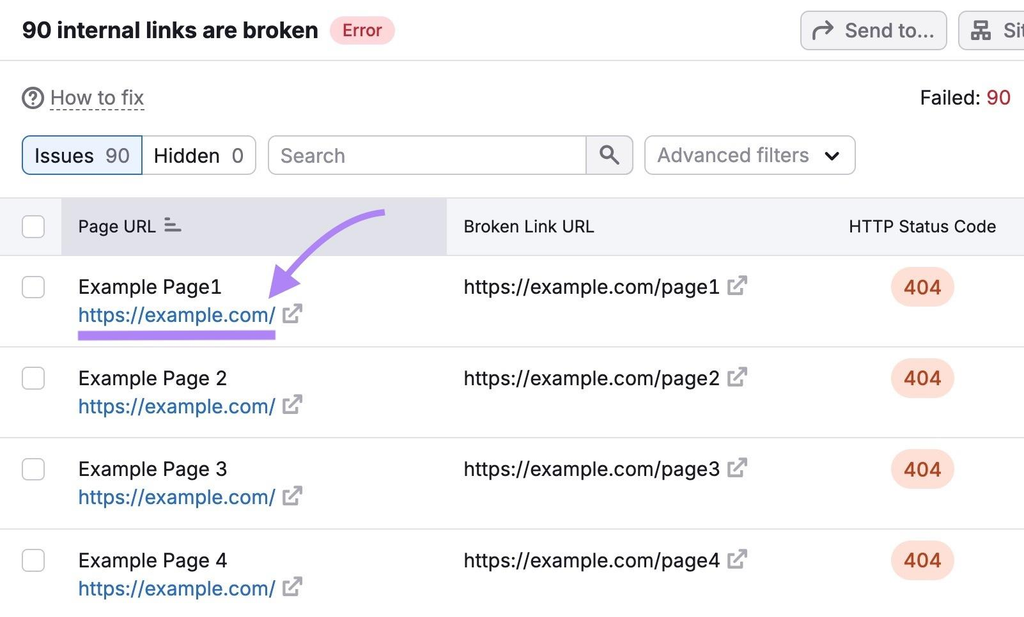
I’ll identify broken internal and external links, missing pages, unnecessary redirect chains, and redirects that may be sending visitors or search engines to the wrong destination.
When a page has moved or been replaced, the appropriate redirect can help preserve the connection between the old URL and the most relevant existing content. When there’s no appropriate replacement, we’ll handle the page in a way that makes sense rather than automatically redirecting everything to the homepage.
Keeping these issues cleaned up helps create a more reliable website for visitors while giving search engines clearer paths through your content.
Broken Links
404 Errors
Redirects
Redirect Chains
Technical Monitoring
Technical SEO isn’t necessarily something you check once and never look at again. Websites change, plugins get updated, new pages are published, old pages are removed, and technical problems can appear even when everything was working correctly before.
I’ll use tools such as Google Search Console and site crawlers to monitor the technical health of your website and identify issues that may affect how your pages appear in search.
This can include indexing problems, crawl errors, changes in search visibility, sitemap issues, page experience concerns, and other technical warnings that deserve attention.
The goal isn’t to react to every notification or meaningless fluctuation. It’s to identify genuine problems early and address the issues that can actually affect your website’s search performance.
Search Console
Site Crawls
Indexing Changes
Technical Issues
Duplicate Content & Canonicals
Search engines can sometimes discover multiple URLs containing the same or very similar content. This can happen because of website platforms, URL parameters, duplicate pages, HTTP/HTTPS or www variations, and other technical configurations.
When multiple versions exist, it may become less clear which URL search engines should treat as the primary version. I’ll look for duplicate or competing URLs and review canonical tags and other signals that help search engines understand which pages should be prioritized.
I’ll also look at whether pages that appear similar actually serve different purposes. The solution isn’t automatically deleting or canonicalizing anything that looks alike—it’s understanding why the duplication exists and choosing the appropriate solution.
The goal is to give search engines clear, consistent signals about which versions of your pages belong in search results.
Duplicate URLs
Canonical Tags
URL Consistency
Competing Pages
Technical SEO FAQs
Why Work With SEO by Seth?
When you hire someone to handle your SEO, you should know who is actually doing the work. With SEO by Seth, you work directly with me—from understanding your business and building your strategy to monitoring results and identifying new opportunities.
16+ Years of SEO Experience
I’ve spent more than 16 years working hands-on with SEO campaigns for local businesses across competitive industries and markets.
Work Directly With Me
No account managers or getting passed from person to person. The person you speak with is the same person working on and overseeing your SEO strategy.
Strategy Built Around Your Business
Your business, competition, and market are different. Your SEO strategy should be too. I focus on the opportunities that make sense for your specific goals rather than forcing every client into the same package.
Clear Communication & Real Answers
SEO can get complicated, but communicating it doesn’t have to be. I’ll explain what we’re doing, why we’re doing it, what the results mean, and where I see opportunities to improve.
Free SEO Review
Not sure if technical issues are holding your website back? Let’s take a look.
I’ll review the technical foundation of your website and identify issues that may be affecting how search engines access, understand, and index your content. No obligation, no sales pressure—just a straightforward look at what’s working, what could be improved, and where the biggest opportunities may be.